by Brett | Jul 13, 2026
To explain this clearly, we first need to trace the path that led to the desktop UV printer, and look back at a little bit of its backstory.
In a very real sense, one of the earliest ancestors of the printer was the typewriter. Both were tools humans created to record information on paper.
The first modern commercial printing machine, in this lineage, can be traced back to the typewriter developed by Christopher Sholes and his team in the United States. The roller is the drum that feeds the paper. The carriage is a little like the printhead in a modern printer: it is the mechanism that strikes, or prints, one character at a time onto the paper. Each time you typed a character, the roller and the paper shifted sideways by a small amount, so the next character could land in the correct position. This introduced a sideways-moving roller architecture. At the time, it was difficult to make the typing carriage light and nimble, so moving the roller and paper left and right while keeping the carriage fixed was the best choice. For nearly the next 100 years, this sideways-moving roller structure dominated typewriters on the market.

What broke this architecture was the teleprinter, which gradually matured in the 1920s and 1930s. A regular typewriter only worked on one sheet of paper at a time, so letting the roller carry the paper left and right was still manageable. A teleprinter was different. It needed to receive information continuously, and it often used long, heavy paper rolls. At that point, moving the entire roll of paper left and right became clumsy and inefficient.
So people stopped moving the roller and paper sideways. Instead, they flipped the idea around and let the type hammers, the parts responsible for striking the characters, move sideways. You can think of it this way: before, the paper moved left and right with the roller. Now, the “printhead” itself moved left and right. This structure is called “Fixed Gantry.”
When you finished a line and pressed Return, the roller in a typewriter would feed the paper by one more line, while the carriage returned to its starting position so you could begin the next line. The Return key on our keyboards is also called Carriage Return, and it actually has something to do with the Y-axis movement of printers. Kind of magical, right?
One of the most classic and representative products that brought this idea to life was the IBM Selectric typewriter, released in 1961.
From then until today, in inkjet printing, the Fixed Gantry structure has become the mainstream. Think about the HP or Epson printer at home. It works in the same basic way. When we print a photo, the printhead moves back and forth from left to right, while the printed photo comes out little by little in the Y direction.

Traditional UV printers evolved from this same architecture. Engineers replaced the paper-feeding roller with a flatbed. The gantry carrying the printhead moves left and right along the X direction, while the flatbed moves along the Y direction.
For industrial UV printing, this works perfectly well. The structure is also simpler.
Fast-forward to 2026. As demand for customization keeps growing, and as DIY culture continues to spread, UV printing is moving out of traditional print shops and into more garages, studios, and homes. And here I have to say it clearly: Fixed Gantry comes with real problems and risks.
I remember excitedly bringing friends over to the industrial UV printer I had bought, ready to print their family photo directly onto a phone case right in front of them. At first, everyone watched the machine with real curiosity. But the moment the UV printer started working, they all turned around at the same time. The UV light was simply too harsh. I had also imagined, so many times, showing my kids how a UV printer works. But the sharp odor and intense UV light made that impossible for me.
So from Day 1, when we decided to build our own desktop UV printer, we made one decision very clear: we wanted to reduce people’s exposure to odor and UV light as much as possible.
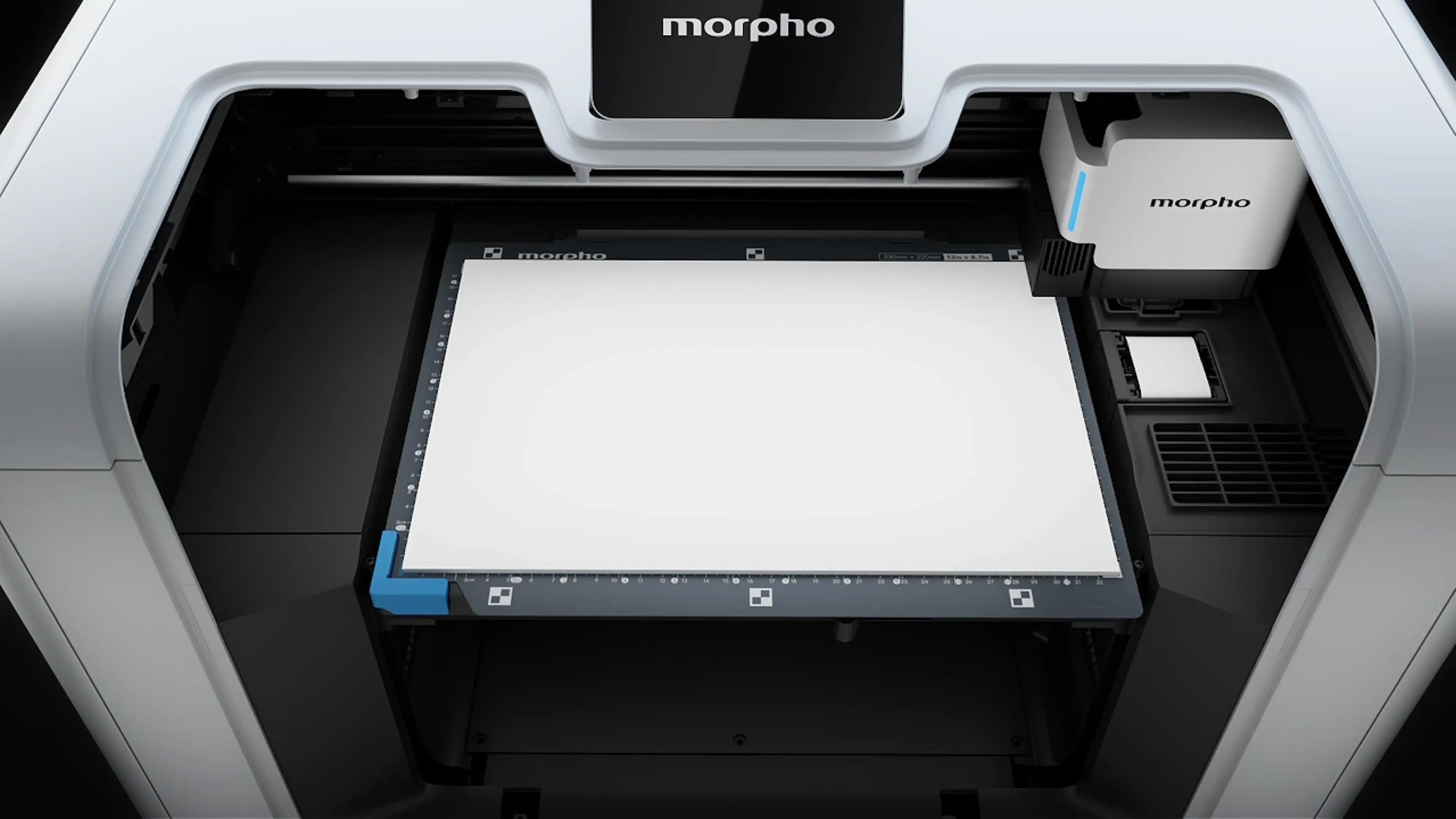
Then comes the question: if we want to enclose the machine, a Fixed Gantry architecture creates a problem. Because the flatbed has to move, fully enclosing the machine requires at least twice the size of the flatbed. That is why we chose a Moving Gantry architecture. The entire printbed stays still, while the printhead carriage moves not only in the X direction, but also in the Y direction.
This lets us maximize the enclosed printing area within the smallest possible footprint. We want users to be able to print with the machine enclosed in as many real-world scenarios as possible. This is why Morpho UV Printer has the largest enclosed printing area among desktop UV printers, slightly longer than A4 / US Letter.
Choosing a Moving Gantry architecture costs more, and technically, it is harder. During Y-axis movement, the entire X-axis beam and carriage move together. The parallelism of the two Y-axis rails, error control, algorithmic control, and compensation all become more complex. Morpho’s engineers and mathematicians spent a huge amount of time and effort solving these precision challenges. In the end, we even achieved enough accuracy to print text on a sesame seed.
The process was hard. But a few weeks ago, I brought my kids to the company and watched them gather around a working Morpho printer prototype, eyes wide, excitedly saying, “This one is mine! This one is mine!” In that moment, I felt that all the effort was worth it. Two years ago, I still worried about UV light and sharp odor affecting children’s health, and I did not dare let them get close to a UV printer. Just two years later, I was looking at their anticipation and curiosity. To me, this is what engineering is really about: spending more time, energy, and cost to make products safer, healthier, and more accessible, until we are comfortable letting our own children experience them.
A desktop UV printer is not just a tool. It can also become a companion that keeps adding fun to family life, helping you print puzzles, cards, and all kinds of little creations for your kids.
